For the last few weeks I’ve been developing a tool for Unity 5.4.0f3 called ClutterBug. It’s a tool designed for placing prefabs into the game scene using nodes. This would primarily help environmental artists make their scenes looks more filled out.
For most of the development of ClutterBug, I’ve been using my own experiences as a Games Designer for requirement gathering, as well as the “feel” of how ClutterBug should work. However, it eventually got to a stage where I couldn’t think of anything else to work on until I got user feedback.
Unfortunately, no one in my studio class was able to use the tool within their own games (besides the project I worked on: Snofyr), as the crunch before handing over the projects left most without clutter. I was, however, able to get a couple designers to have a play with it and give some general feedback.
The first thing that came up, was the clarity in my tutorial. It didn’t occur to me that some people would even try the tool without using colliders to place them on. It also didn’t occur to me that some people might not know how raycasting interacts with colliders in unity. This prompted me to make changes in the tutorial as to how the tool works on a technical level, so people could base their understanding of the tool from that.
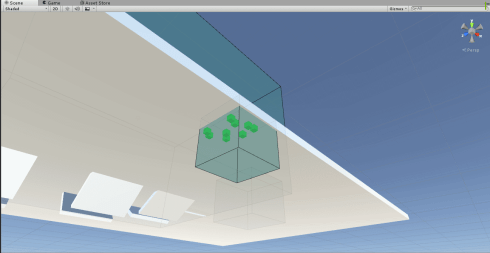
The next thing I noticed was that while you could rotate the clutter nodes along the z axis, and Clutter would still spawn within the node shape, none of the other rotations where taken into account. For example, clutter couldn’t be spawned on walls or roofs.
Another thing pointed out was the limiting factor of having to create a layer specifically for clutter.
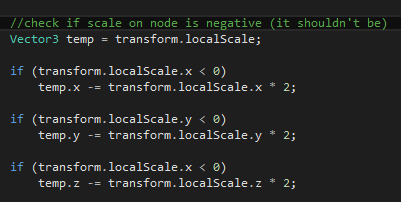
I also discovered a bug where negative scale breaks the nodes random casting.
Fortunately, these issues were easy fixes, and I was able to implement rotation based spawning and add it into the example scene.
I also added a check before each spawn as to whether or not the node was negative or not, and then automatically correct it
I figured I’d leave the problem of multiple physics layers for another time.
While it was nice that the feedback I got was mostly positive, with no glaring bugs or issues with usability, it’s still a work in progress, and I hope that more people (especially other students) use the tool to help themselves in their own projects.
EDIT: It turns out implementing a check for multiple layers is quite easy. I simply made a public layermask variable which people choose what layers they want to ignore. I simply check those layers on collision
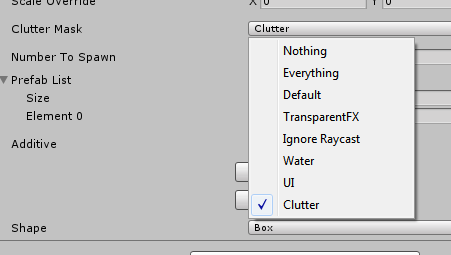

It did however take a bit of research to learn how to properly compare bit values. The main problem I was having was that the gameobject layer was returning an integer, while the layermask was returning a bit value, making the values never line up. Using the single ‘&’ operator was something I found only after a fair bit of trial and error search terms.
 Caleb Barton | Games Programmer